Document Understanding
ArchDoc
AI-powered document understanding. More than OCR… structure, context, and flexibility.
The problem
Nobody sends the documents separately. They arrive in the photograph folder.
The registration, the policy and the accident form are photographed on the same phone as the car, and nothing in the file names says which is which.
So a handler sorts them by hand, then types the plate, the chassis number and the policy number into the claims system from a picture of a page.
In and out
Send the whole folder, get back structured documents.
- The claim folder
- Photographs and PDF pages exactly as they arrived, paperwork mixed in with the vehicle.
- Nothing else
- No naming convention, no per-file labels, no separate upload step for the paperwork.
- What is there
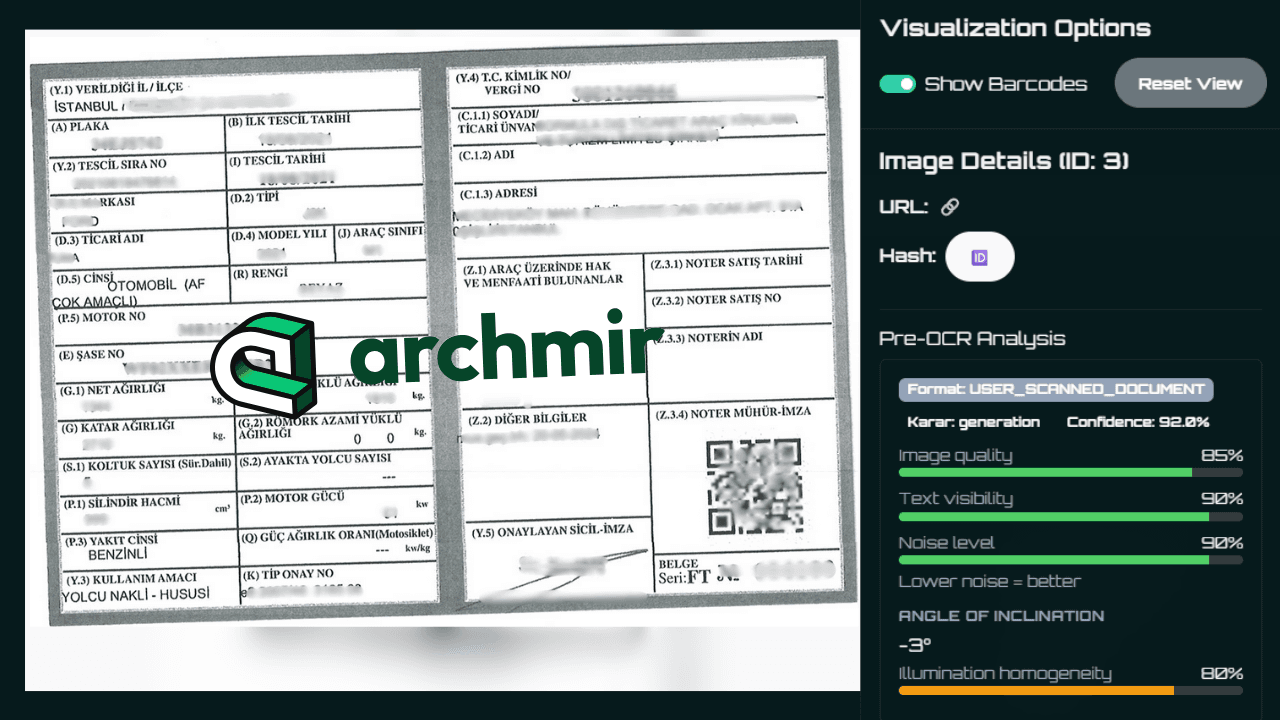
- Every document found and separated, including several in one photograph, with pages of the same document rejoined.
- Readability, graded
- Text visibility, noise and skew, plus whether it is a photograph, a scan or a screenshot.
- The fields
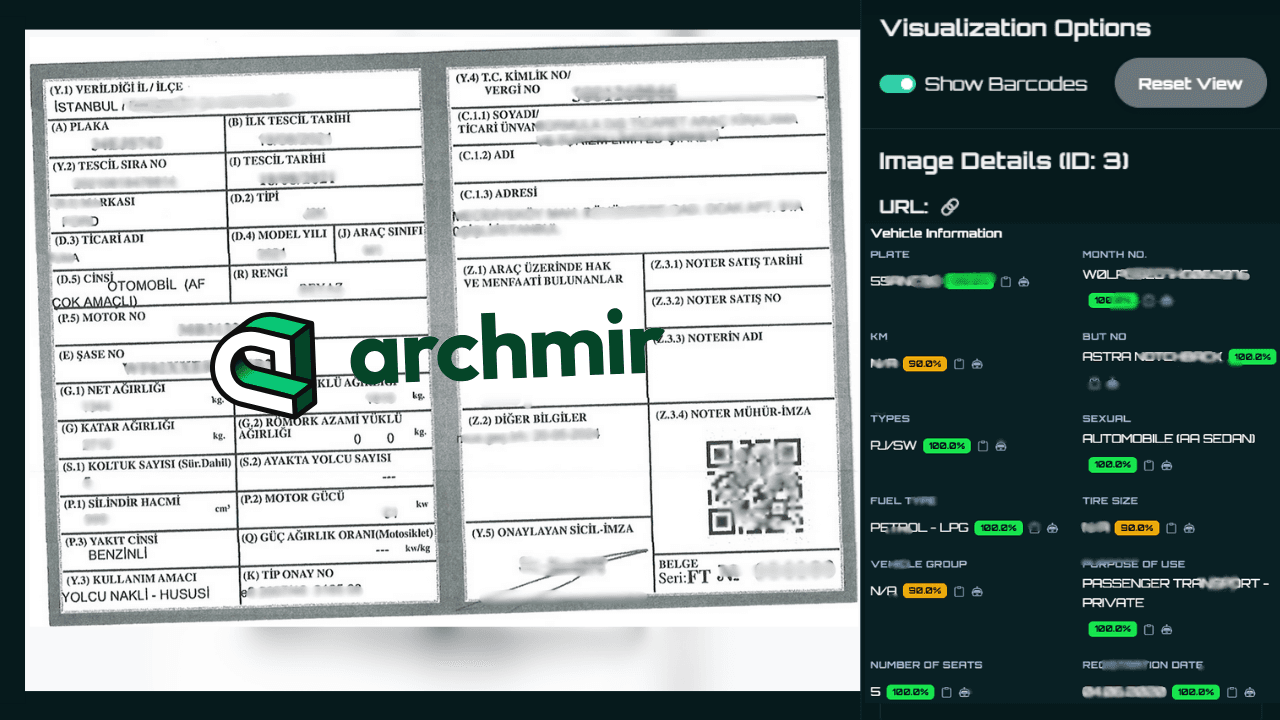
- A type-specific record: a registration, an identity document and an invoice each carry their own fields.
Work is submitted and collected, and one folder can hold a whole claim's paperwork.
Capabilities
Document type recognition
Automatically recognize across 30+ formats including IDs, licenses, and reports.
Critical field extraction
AI-first approach beyond template-based OCR, extracting key data points, not just raw text.
Custom document onboarding
Add new schemas and custom fields in minutes with standardized output for automation.
The hard part
The hard part is refusing to read what is not there.
Documents that are not there
Asked to fill a document's fields, a system will fill them from anything in frame. A result with no genuinely read field is discarded and reported as no document found.
Empty is not Unknown
A system required to return a value returns N/A instead of nothing. Those become empty fields, except where unknown is a real answer printed on the page.
Identifiers checked against print
A plate, a chassis number or an account number is read back against the text on the page it came from, and flagged when it is not there.
Where a person decides
It hands you evidence. Your team makes the decision.
The claim decision stays yours
ArchDoc does not decide a claim. It returns what the paperwork says and what it could not read; your process decides what follows.
It never invents an identifier
An identifier is recorded only where it is printed in the image. A number that cannot be seen is omitted, not inferred.
What it could not assess
Images that were skipped come back with the reason attached, so finding no document is never mistaken for finding nothing wrong.
Who it is for
Insurance
Motor claims teams that today type identifiers from photographs of paperwork into the claims system by hand.
Fleet and rental
Back offices handling incident packs and check-in paperwork, where the documents arrive as photographs from the branch.
Inspection and remarketing
Firms assembling a report file, who need the paperwork read to one standard with the source image attached.
How it fits
Documents can be the first thing you automate.
Send the folder
Submit the claim's images and pages as they arrived; collect the document record when ready.
Route on confidence
Values carry a confidence score and a basis, so you decide which fields are accepted and which are checked.
Add your own types
A document you do not see yet is described by its fields and its handling rules, then returned like any other.
The paperwork arrives in the same folder as the vehicle photographs CarScope reads, so the identifying fields on each can be compared.
Questions we get asked
What is ArchDoc?
ArchDoc is Archmir's document understanding workflow. It takes the photographs and pages in a claim, works out which of them are documents and of what type, grades whether each can be read, and extracts the fields that matter as structured data.
What do I need to send?
The claim folder as it is: photographs and pages, paperwork mixed in with the vehicle. No naming convention, no per-file tagging, no separate document upload.
Does it replace the claims handler?
No. It removes the sorting and the typing, so a handler starts from a record with the source image behind every field. Where files clear automatically, that threshold is yours to set.
How do I know it is right?
Every value returns with a confidence score and whether it was read off the page or derived, and identifiers are read back against the page. We publish no accuracy figure; measure it on your own closed files.
What does it not do?
It returns per-document structure, not a verdict on the claim, and it reads only what is on the page in front of it. What it could not read is reported, not guessed.
Where to start
Take a month of files you have already settled, run them through, and compare the fields with what your handlers typed.
Initialize ArchDoc